

INSTALL GUIDE
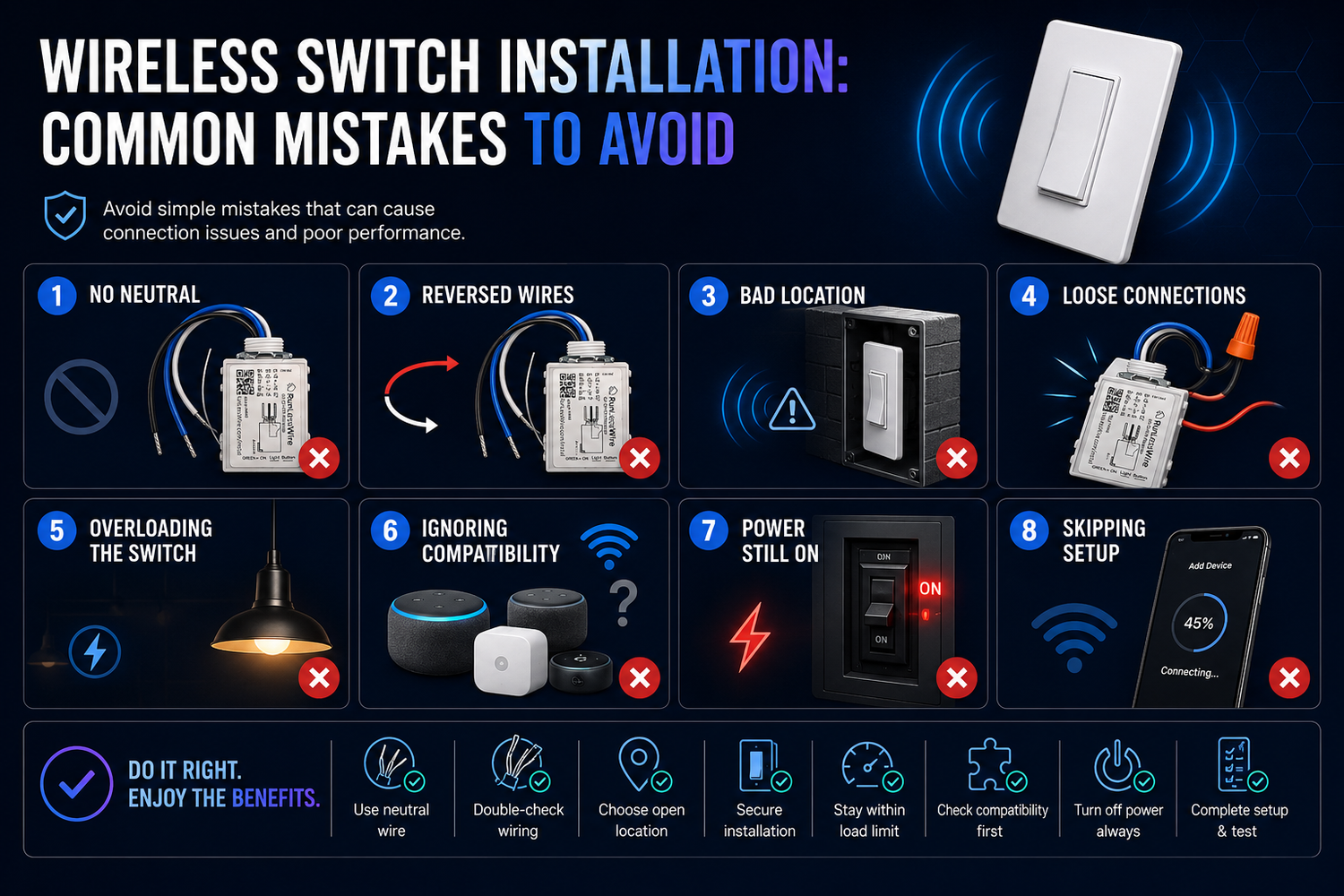
Wireless Switch Installation: Common Mistakes to Avoid
Seven small slip-ups that turn a 15-minute install into an afternoon — and how to skip them entirely.
By RunLessWire | June 2026
A wireless switch install is one of the quickest home upgrades you can do — usually well under half an hour. But almost every long install we hear about traces back to the same handful of small mistakes, made at the wrong moment. Here are the seven worth knowing about before you open the box. Avoid these and you’ll be flipping on the light with your new switch in minutes.
1. Skipping the Power-Off Step
Always flip the breaker before touching the controller. The switch itself is self-powered and harmless, but the controller wires into the same line current that powered the previous switch. Verify with a non-contact voltage tester after killing the breaker — labels are sometimes wrong, especially in older panels. This takes 30 seconds and prevents the only genuinely dangerous part of the install.
2. Forgetting the Neutral Wire
The controller needs a neutral wire to comply with current electrical code. Most boxes built in the last 30 years have one — usually a white wire bundled at the back. Older boxes sometimes don’t. If yours doesn’t, don’t skip the neutral and hope for the best. Call an electrician for that single connection — the rest of the install stays DIY.
3. Mounting the Switch Before You Test
Pre-linked kits work straight out of the box, but it’s still worth a hand-test first. Power the controller, hold the switch where you intend to mount it, and confirm the light comes on. Once you’ve adhered Command Strips to a freshly-painted wall, peeling them off to relocate is a small mess. Five seconds of testing saves a much longer fix later.
4. Mounting on or Behind Metal
The wireless signal is strong — 50 to 150 feet through typical walls — but metal blocks RF. Don’t mount the switch directly onto a metal junction box cover, the side of a refrigerator, or a magnetic strip. The same goes for the controller: a metal-shielded box can cut your range. Wood, drywall, plaster, brick, and tile are all fine.
5. Mismatching the Controller to the Load
Not every controller is sized for every job. The 5A controller handles up to 600W — perfect for typical room lighting. The 20A controller handles up to 2400W and is what you want for ceiling fans, multi-fixture chandeliers, or whole-room banks. Add up the wattage of everything on the circuit before you pick. RunLessWire Wireless Switch Kits come in both ratings, so size the kit to the job — not the other way around.
6. Using Non-Dimmable Bulbs with a Dimming Controller
If you’re using a dimming controller, every bulb on the circuit needs to be dimmable. Mix in a single non-dimmable LED and you’ll get flicker, buzz, or refusal to come on at all. The fix is simple: confirm the bulb packaging says “dimmable” before you install. For non-dimming setups, any standard bulb works — but dimmer-rated controllers need dimmer-rated loads.
7. Installing in the Wrong Environment
The kits are rated for indoor, dry locations only. That means no mounting outside the front door, in an uncovered porch, or in a bathroom shower zone. A covered patio that stays dry in the rain is usually fine — but anything exposed to direct weather, condensation, or freezing isn’t. For outdoor control, plan ahead and pick fixtures designed for it.
Get It Right the First Time
None of these mistakes are catastrophic — they all have fixes — but each one slows you down. Knowing what to watch for before you open the box is the difference between a 15-minute install and an afternoon spent fishing things back out of the wall. Plan for these seven, and the rest of the job is exactly what RunLessWire is designed to be: simple.
Every RunLessWire kit ships pre-linked and ready to install, engineered and assembled in the USA, and backed by a 5-year warranty — so when you do get it right, it stays right for 20+ years.
No wires. No batteries. No limits.
Ready to install yours?
Explore our full product line at runlesswire.com
or find us on Amazon and Home Depot.

Leave a comment
All comments are moderated before being published.
This site is protected by hCaptcha and the hCaptcha Privacy Policy and Terms of Service apply.