

TECH GUIDE
How Wireless Switches Work: The Complete Technical Guide
From kinetic energy harvesting to radio protocols — a plain-English breakdown of what happens between a switch press and a light turning on.
By RunLessWire | July 2026
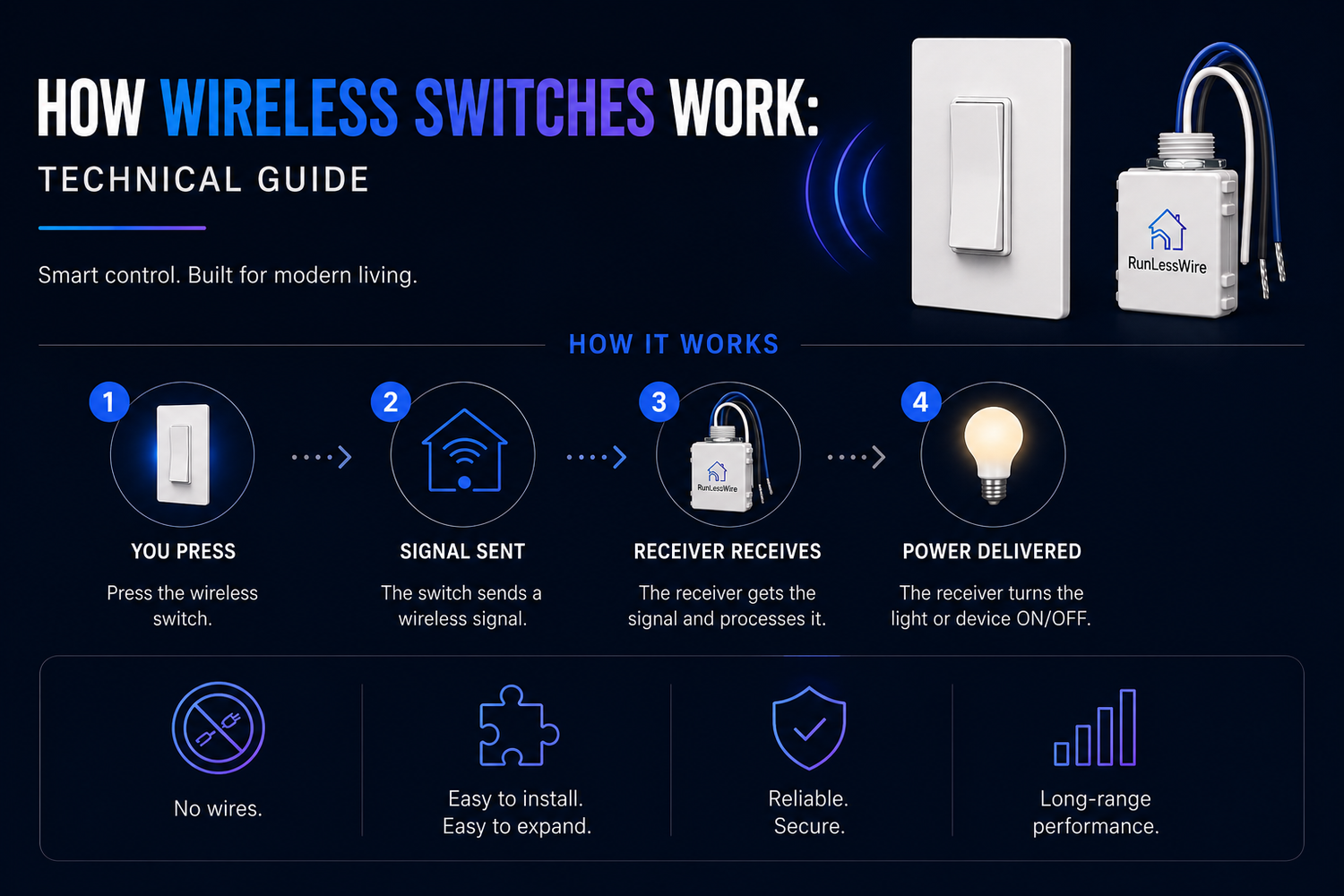
A wireless light switch that runs on nothing — no batteries, no wires, no charger — sounds like it violates basic physics. It doesn’t. It just uses a set of technologies most people never see up close: kinetic energy harvesting, low-power radio protocols, and a very small, very clever bit of electronics inside the switch itself. Here’s exactly what happens in the fraction of a second between a switch press and a light coming on.
1. Kinetic Energy — Where the Power Comes From
Every press of a wireless switch does mechanical work — you’re compressing a tiny generator inside the housing. Most designs use either a piezoelectric crystal (which produces voltage when deformed) or an electromagnetic induction coil (a small magnet moving past a coil, like a hand-crank flashlight in miniature). Either way, the switch press supplies just enough energy — usually less than a millijoule — to power a single radio transmission. No press, no signal. The switch is genuinely off between uses.
2. The Radio Signal
That tiny burst of power drives a low-energy radio transmitter inside the switch. Most residential kinetic switches use a frequency chosen that penetrates typical building materials well and doesn’t overlap with Wi-Fi or Zigbee. The transmission itself lasts a few milliseconds and carries a short packet: which switch is pressing, which rocker (top or bottom), and how long the press lasted. That’s it.
3. The Controller’s Job
The controller is where the muscle lives. It’s a small module that wires into the same box or fixture that would have held a traditional switch — connected to line voltage, load, and neutral. Inside, a radio receiver listens for packets from paired switches. When a valid signal arrives, the controller closes the circuit, delivering power to the light. Because the controller handles all the current, the switch only ever needs to send a signal — never carry a load.
4. The Digital ID — No Interference
Every switch is manufactured with a unique digital ID baked in — essentially a MAC address for radio devices. When you pair a switch to a controller, that controller stores the ID and ignores signals from any other switch. This is why two kits in the same house, or two families on the same street, don’t interfere with each other. A single controller can be linked to up to 25 switches, enabling three-way, four-way, or control-from-anywhere setups without extra wiring.
5. How Dimming Works
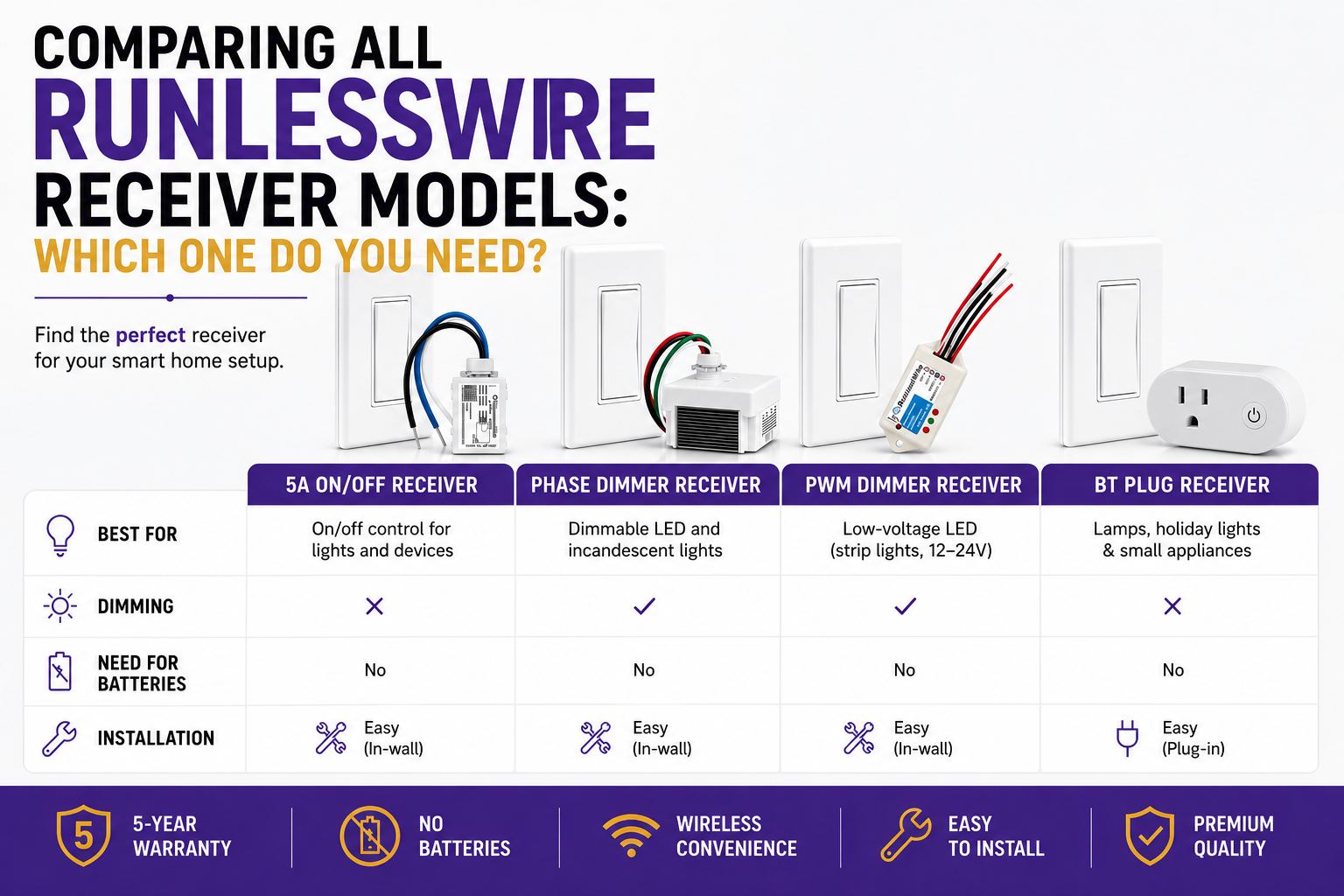
Dimming controllers use the length of the press to distinguish commands. A short press (under half a second) toggles the load on or off. A long press (over half a second) begins dimming — up on the top rocker, down on the bottom. The controller adjusts output current smoothly until you release. The load itself still needs to be dimmer-compatible for smooth results, but the switch-to-controller communication is identical either way.
6. Range and Signal Behavior
Because kinetic switches transmit at low power, range depends on what’s in the signal path. In open air, the signal easily reaches 150 feet. Through typical residential walls, expect 50 to 150 feet — plenty for any single-family home. Wood, drywall, plaster, brick, and tile are all transparent to the signal. Metal blocks it, so a switch mounted directly to a refrigerator or a metal-shielded junction box will underperform. Signal reflection also helps in real rooms — you don’t need line-of-sight.
Simple Result, Sophisticated Engineering
The user experience is deliberately boring: you press a button, the light comes on. Everything behind it — the kinetic generator, the radio protocol, the unique digital ID, the controller’s decoding logic — exists so you never have to think about batteries, hubs, apps, or wiring. The technology gets out of the way. That’s the whole point.
RunLessWire has been building on this stack for years — with Wireless Switch Kits engineered and assembled in the USA, backed by a 5-year warranty, and built to last 20+ years.
No wires. No batteries. No limits.
Ready to see it in action?
Explore our full product line at runlesswire.com
or find us on Amazon and Home Depot.


Leave a comment
All comments are moderated before being published.
This site is protected by hCaptcha and the hCaptcha Privacy Policy and Terms of Service apply.