

3-WAY BUTTON KIT: 2 Self-Powered Wireless Button Switches + 1 On/Off 5A Receiver
Smart. Simple. Wireless.
The RunLessWire Wireless Button Switch offers powerful one-touch control for a wide range of electrical devices—without the need for wiring or batteries. Whether you’re looking to easily turn your garbage disposal, Wi-Fi router, or lighting circuit on and off, this compact wireless switch makes it effortless.
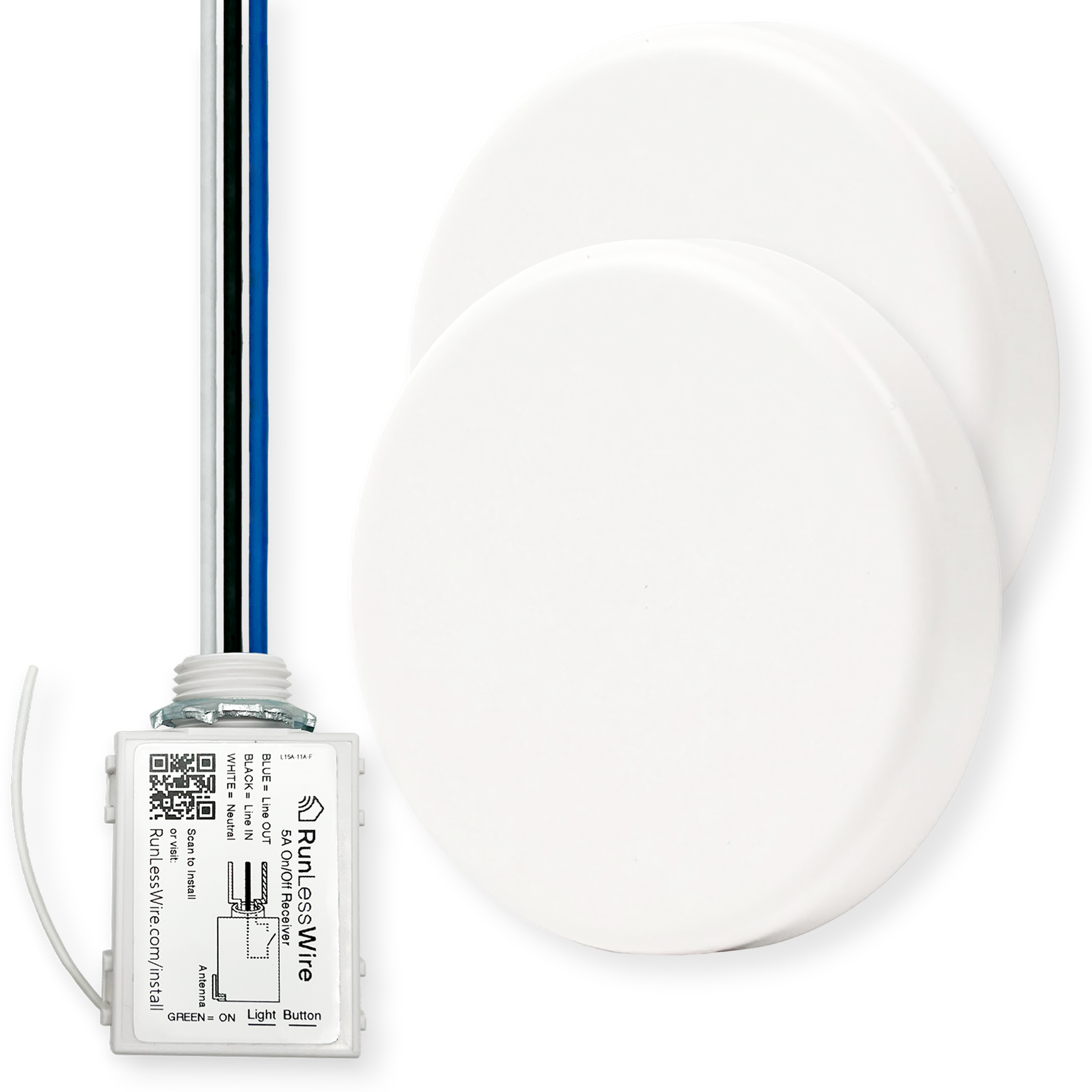
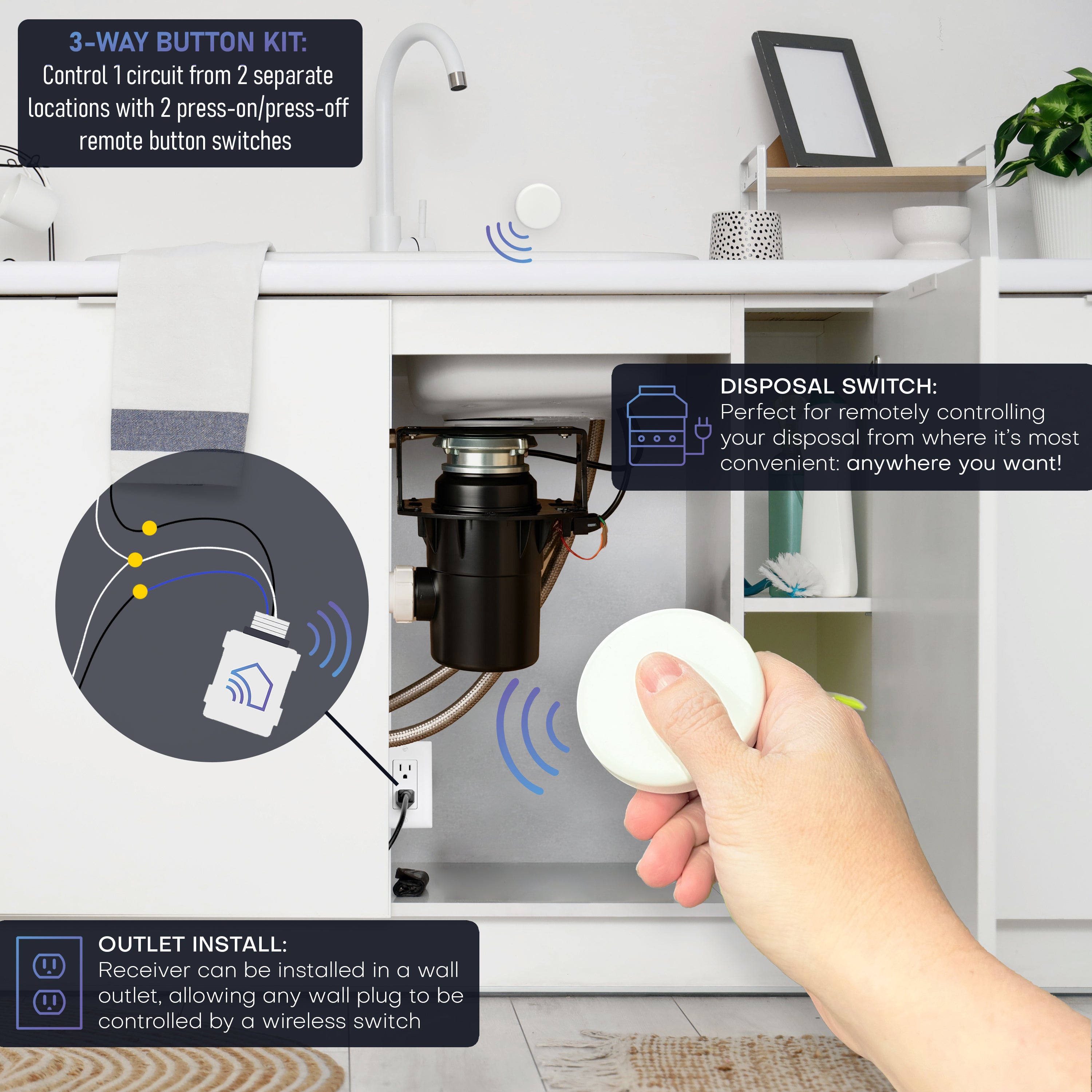
This 3-Way Kit features 2 sleek, round button switches. Powered by kinetic energy, each press sends a reliable RF signal to a 5 amp receiver. One press turns the device on—another press turns it off. It’s that simple. Two switches allow for remote control from 2 separate locations with 150ft RF range.
Install the included receiver into your circuit, mount the buttons anywhere you want control, and enjoy instant wireless access with no power cords, drilling, or rewiring.
🔧 Key Features
2 Wireless kinetic switches: No batteries or hardwiring needed. Generates their own energy with each press.
Simple One-Press Function – Press once to turn on, press again to turn off.
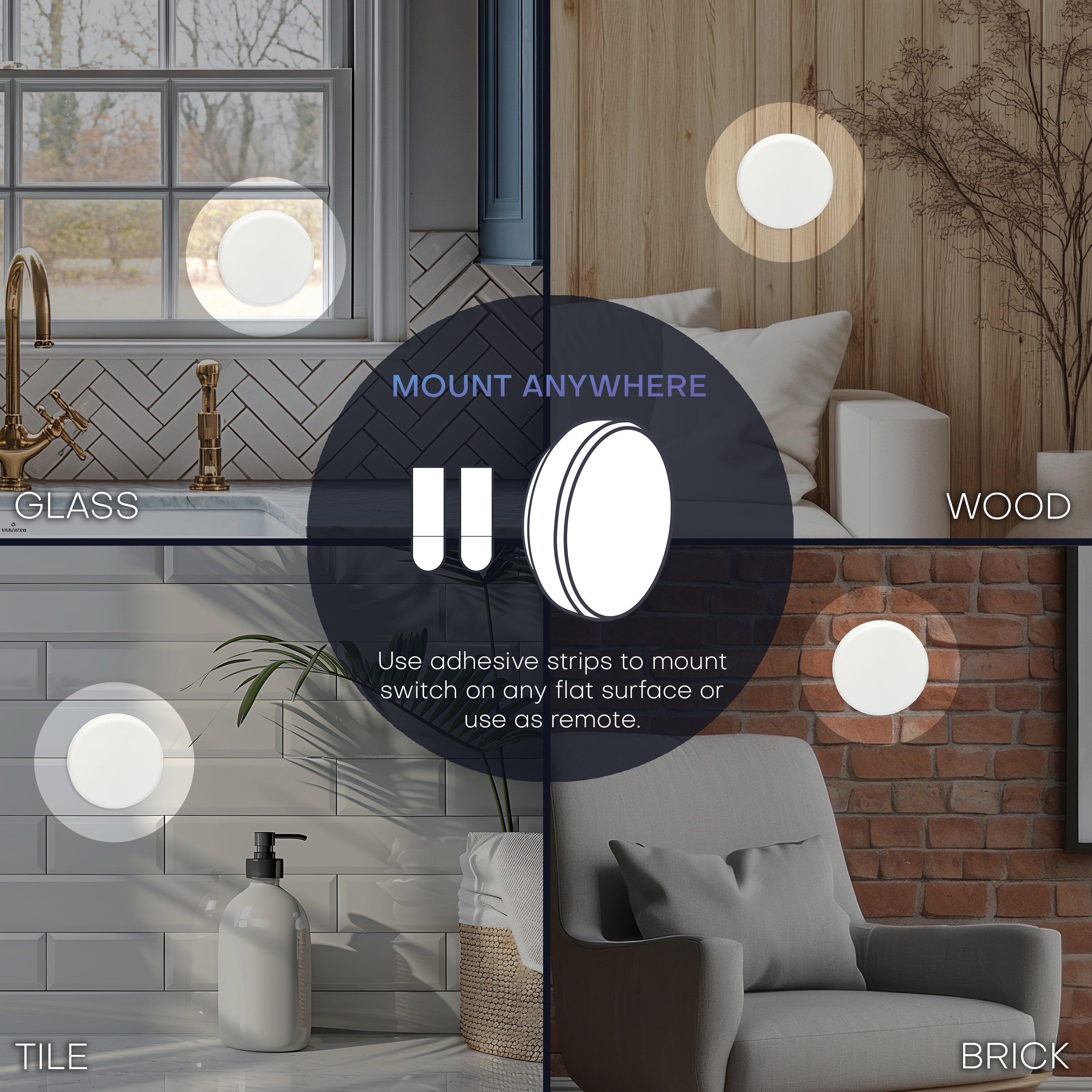
Mount Anywhere: Use adhesive to mount switches on any flat surface like a wall, countertop, desk, or nightstand.
Compact, Modern Design – Low-profile round buttons complement any space.
5 amp on/off receiver: Supports any circuit with a neutral wire. Install at fixture, original switch, or outlet location.
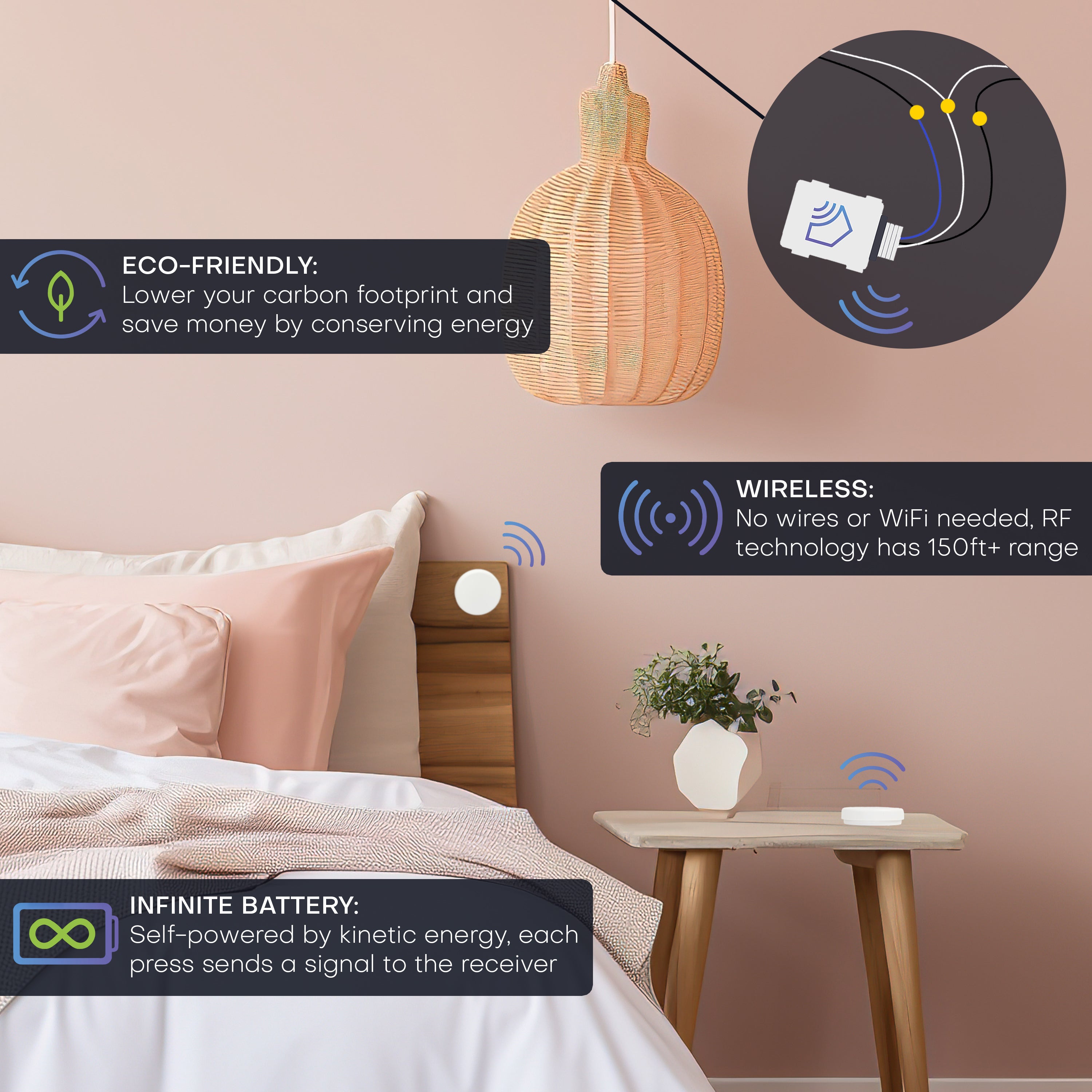
Reliable RF signal: Works through walls and furniture, up to 150 feet away.
Maintenance-free: Eco-friendly and long-lasting with zero upkeep.
Easy DIY installation: No electrician required for most applications.
🛠️ Ideal For:
- Hands-free garbage disposal control (no wet hands on switches)
- Cutting power to routers or electronics at night
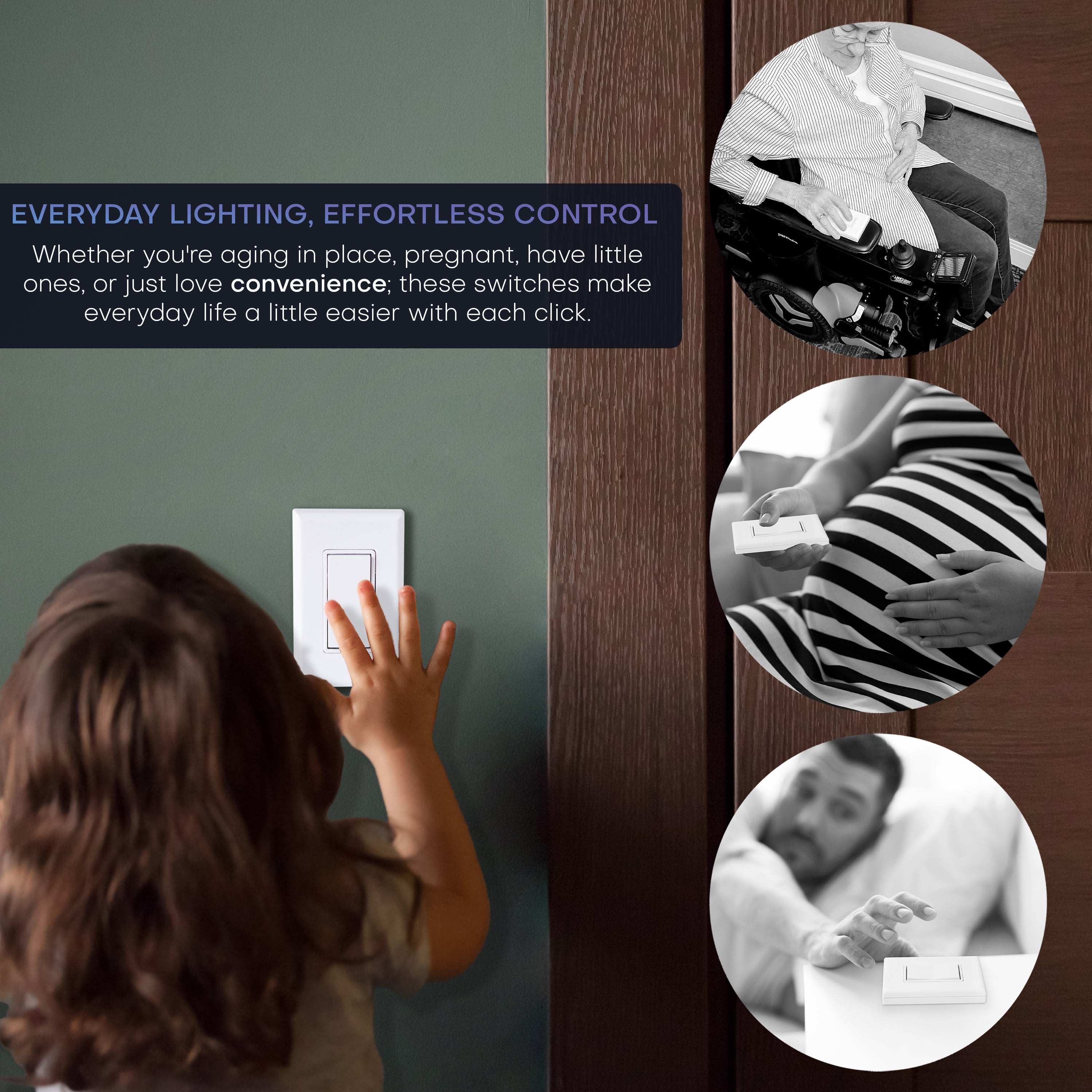
- Turning lamps or overhead lights on/off from anywhere, like a side table or headboard
- Mounting discreet switches in hard-to-reach or creative locations
🧰 Install in Minutes. Control in Seconds.
The Wireless Button Switch is the perfect blend of form and function, offering clean design with practical convenience. It’s a must-have addition for any home.
- Connect the Receiver at the light fixture, the old switch junction box, or an outlet (neutral wire required).
- Mount or stick the Remote Switches where you want: wall, flat surface, or use as a remote.
- Click and enjoy—It’s pre‑programmed out of the box. Press the switch, and you’re done.
NOTE: not intended for use in combination with wired switches - when adding a switch to an existing setup, any wired switches should be replaced with wireless ones to function properly.
Why Homeowners & Electricians Choose RunLessWire
🔋 Battery-Free Forever — Kinetic energy powers every press. No maintenance, no dead-switch surprises.
🔧 Be Your Own Electrician — If you can wire a light fixture, you can install this kit. Everything you need is included.
📍 Mount It Anywhere — Flat wall, cabinet side, furniture — if it's a surface, you can put a switch on it. Works as a standalone remote, too.
🌿 Eco-Friendly & Cost-Saving — Fewer materials, no battery waste, and lower electrical costs over time.
🏠 Pre-Paired, Plug-and-Play — Every kit comes ready to go, no app or hub required.
⭐ 5-Year Warranty, Hand-Assembled in the USA — Built with premium components and backed by a warranty that means it.
🎬As seen on Ask This Old House
If you are not 100% satisfied with your purchase, you can return the product and get a refund or exchange the product for another one, be it similar or not. You can return a product for up to 30 days from the date you purchased it.
Any product you return must be in the same condition you received it and in the original packaging. Damaged or missing products are subject to fees.
30 Day Unlimited Return for Refunds or Exchanges Valid in US.: At checkout, customers can opt-in for free return shipping within the 30 Day Return Window. If opted-out, a return shipping fee will be removed from the refund.
This product is warranted against defects in materials and manufacturing under normal use in accordance with instructions and specifications published by RunLessWire, for a period of five (5) years from the date of purchase by the End User. In the event of a product failure due to materials or workmanship, RunLessWire will repair or replace the defective product. For warranty service, email support@runlesswire.com with your order information and the issues you are experiencing, for a Return Authorization and to return the defective product (shipping prepaid) for prompt repair or replacement.
RunLessWire ships Monday through Friday excluding holidays. The shipping cut-off time is 10am MST. Orders placed after 10am MDT will be processed the next business day. Shipping is via USPS First class or Priority mail depending on the quantity. Typical delivery times are 3-5 business days from date of order. Shipping price and delivery time will vary on international orders.
Additional Information
Indoor Use Only
These switches and receivers are designed for indoor installations. If you're controlling an outdoor fixture, make sure the receiver is mounted in a protected, weatherproof location — like inside a junction box or covered enclosure.
Wireless Range: 50–150 Feet
The switch transmits up to 150 feet depending on your home's walls and construction materials. Metal can obscure the signal. We recommend testing your desired placement before finalizing the install.
No Interference, No Worries
Each switch uses a unique radio frequency on the 902 MHz EnOcean protocol. Run multiple kits throughout your home — they won't interfere with each other or with your Wi-Fi, smart home devices, or other electronics.
Self-Powered — No Batteries, No Wires, No Wi-Fi
The switch harvests kinetic energy from each press, generating its own power. Zero batteries to buy. Zero batteries to replace. Ever.
Simple Receiver Wiring
The compact receiver wires between your power source and light fixture, then tucks neatly into an existing electrical box or above a fixture. A neutral wire is required. The switch mounts anywhere with included tape or screws — no electrical box needed for the switch itself.
RW9-1Bxx
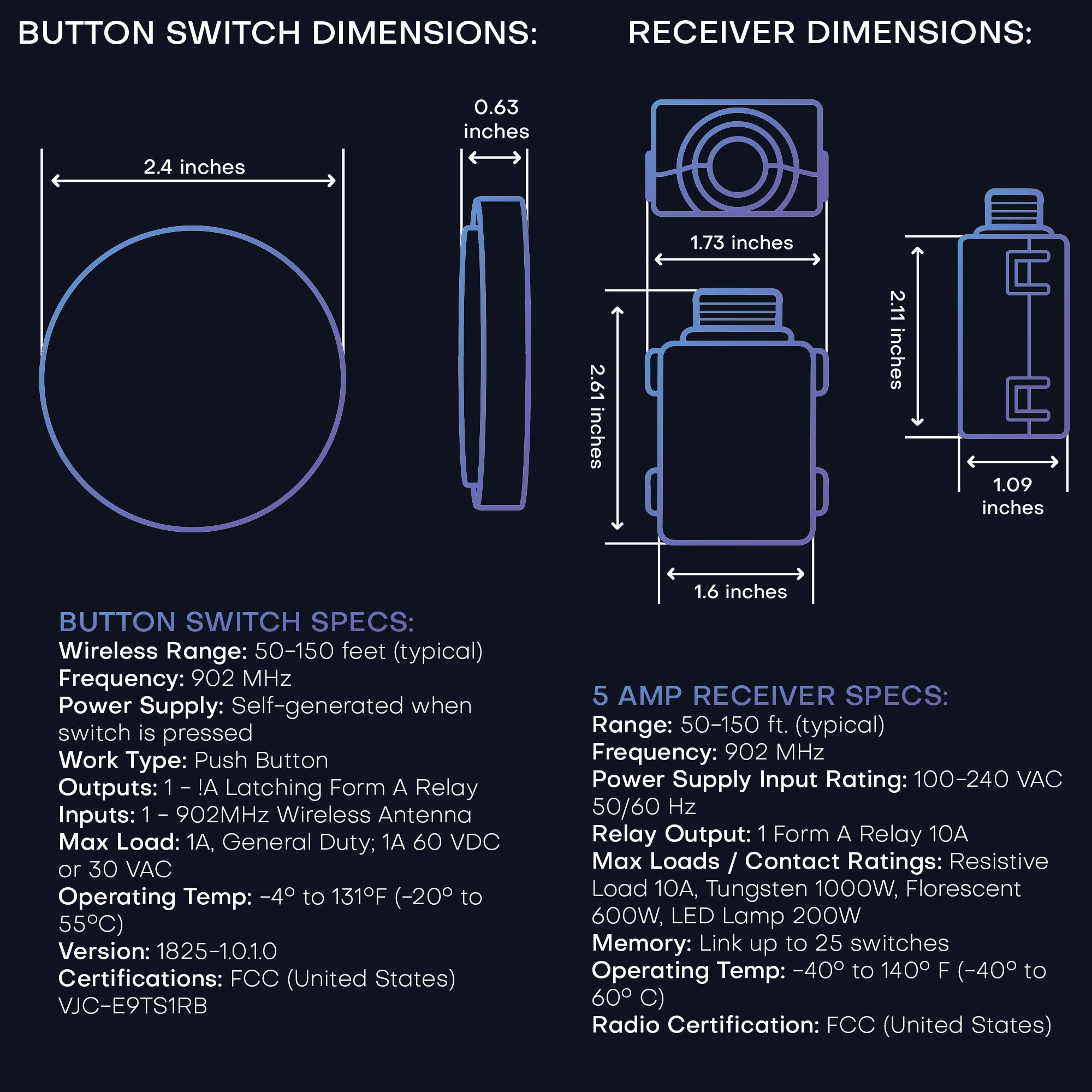
BUTTON SWITCH SPECS
50-150ft (typical)
902 MHz
Self-generated when switch is pressed
Push Button
-4° to 131°F (-20° to 55°C)
Link any number of receivers in range
FCC (United States) VJC-E9TS1RB
RW9-5C
5A RECEIVER SPECS
50-150ft (typical)
902 MHz EnOcean Protocol
100-277 VAC 50/60 Hz
Single, non-isolated latching SPST relay. 1) Electronic or LED Driver Loads: 5 amps resistive at 100-277VAC. 2)Motor Loads: 1/4 HP
5A (All loads: LED, Fluorescent, 1/4 HP motor, etc.), 70A Max Inrush Current
Link up to 25 switches
-40° to 140° F (-40° to 60° C)
UL 60730 (safety), UL 2043 (plenum), CSA c22.2#14-05 (safety), FCC ID: SZV-STM300U, IC ID: 5713A-STM300U
5 AMP ON-OFF RECEIVER
EASY INSTALL
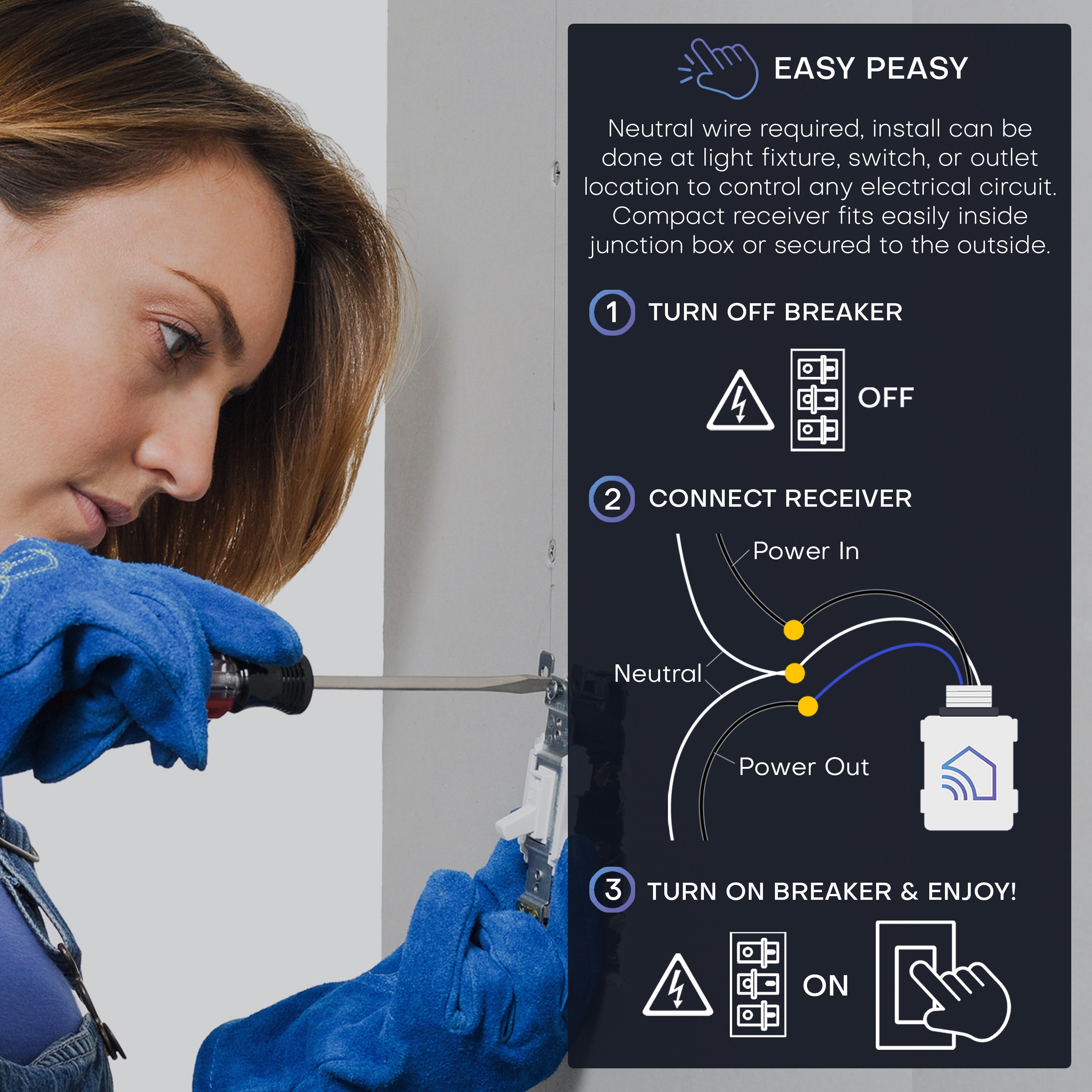
Neutral wire required, install can be done at light fixture, switch, or outlet location to control any electrical circuit. Compact receiver fits easily inside junction box or secured to the outside.
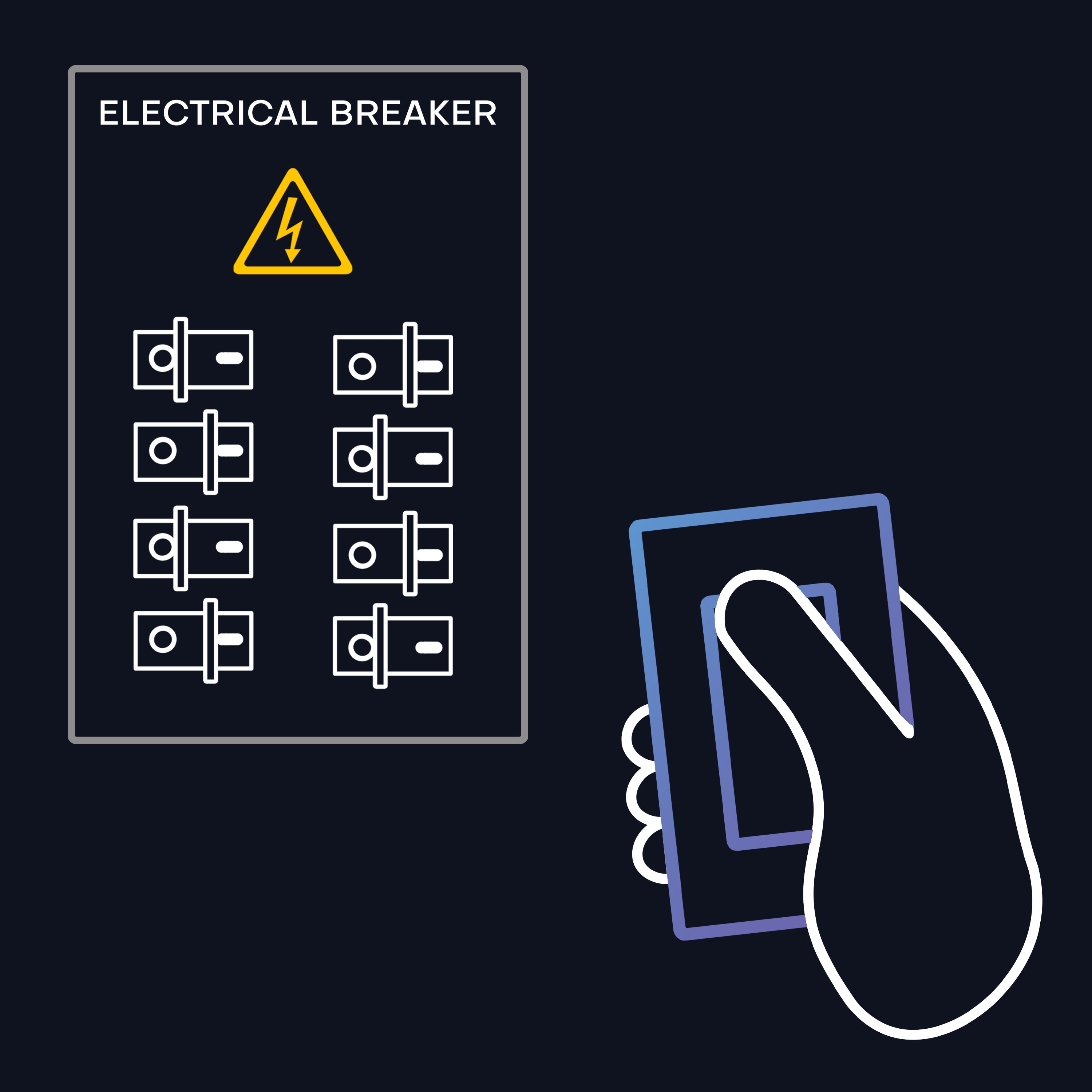
⚠️WHEN DEALING WITH ELECTRICAL WIRES, ALWAYS POWER OFF CORRESPONDING CIRCUIT BREAKER⚠️
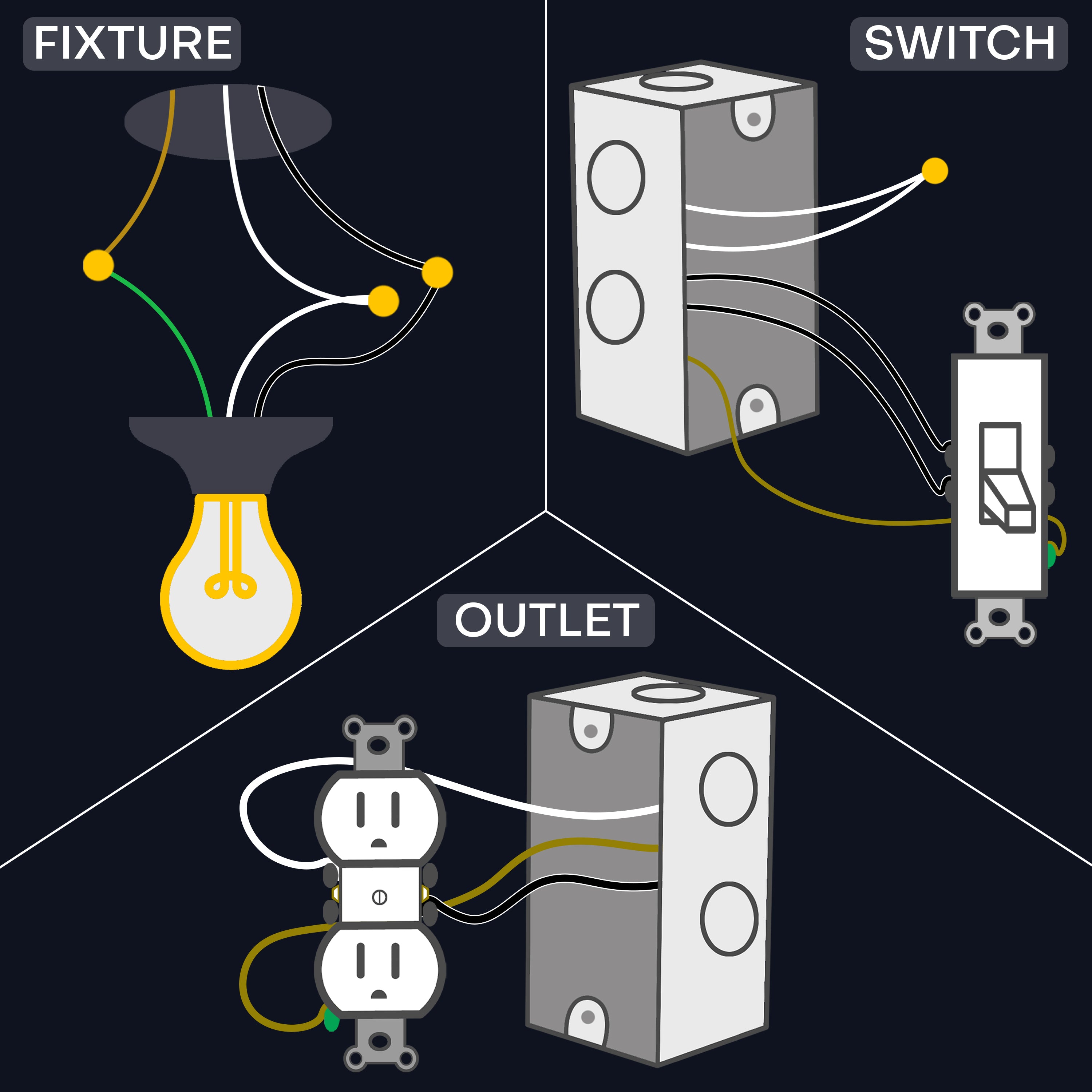
ACCESS & IDENTIFY CIRCUIT WIRES BY REMOVING ORIGINAL LIGHT SWITCH, FIXTURE, OR WALL OUTLET
TIPS: Neutral wires are normally white and if not connected to original switch, they are sometimes tucked back in the junction box.
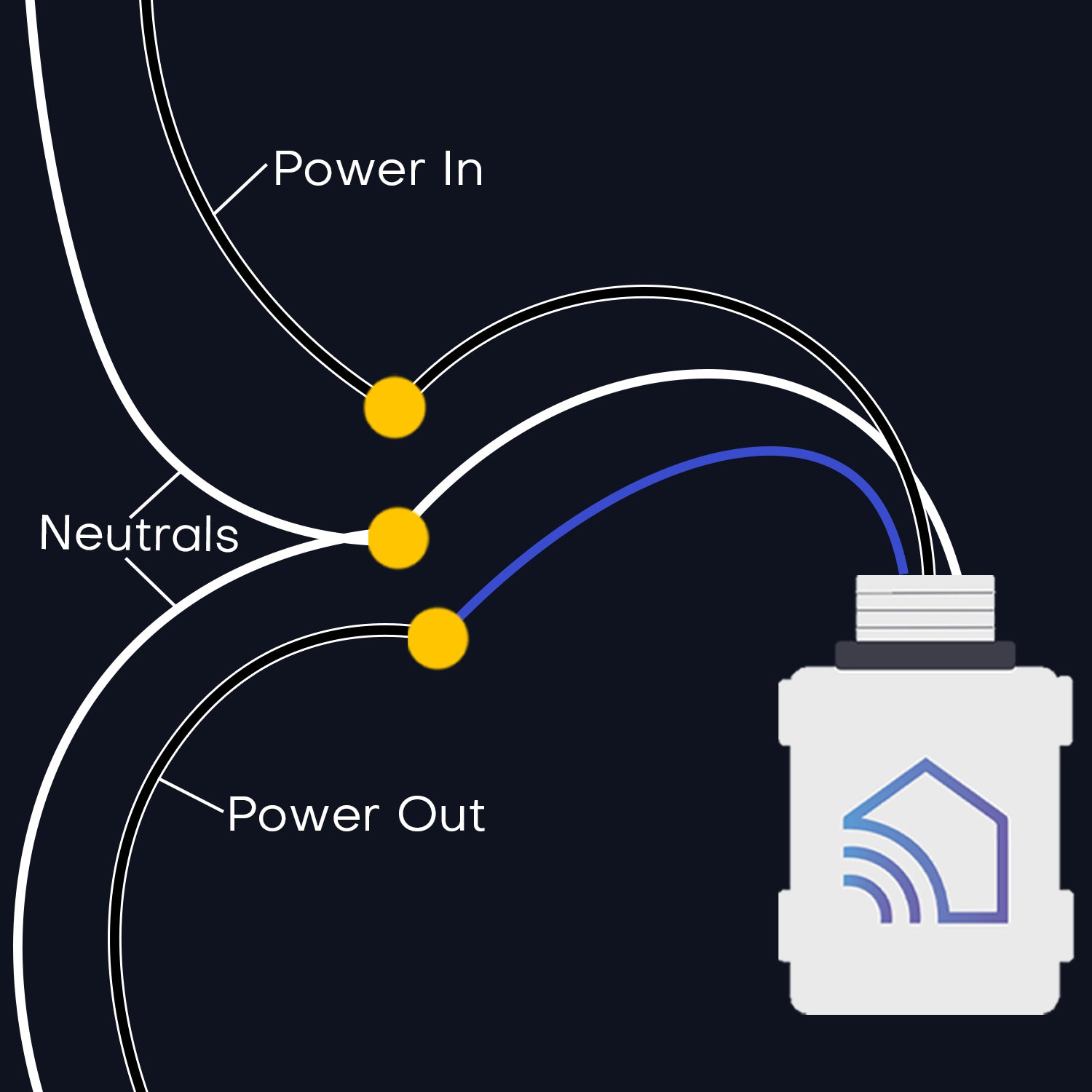
The line wire brings power from the breaker, and the load wire brings power from the fixture.
CONNECT RECEIVER WIRES TO CIRCUIT
BLACK » Line / Power In
BLUE » Load / Power Out
WHITE » Neutrals
TIP: Ground wires are normally green or copper, and not needed for install. If present, leave alone or cap off with a wire nut.
TEST & FINISH UP: Turn breaker ON to test, then OFF while finishing up to for safety.
SWITCH LOCATION: Cover with a blank faceplate or mount wireless switch
FIXTURE LOCATION: Re-attach light fixture
OUTLET LOCATION: Re-attach outlet and cover
Turn breaker back ON and enjoy!
COMPARE BUTTON SWITCH KITS
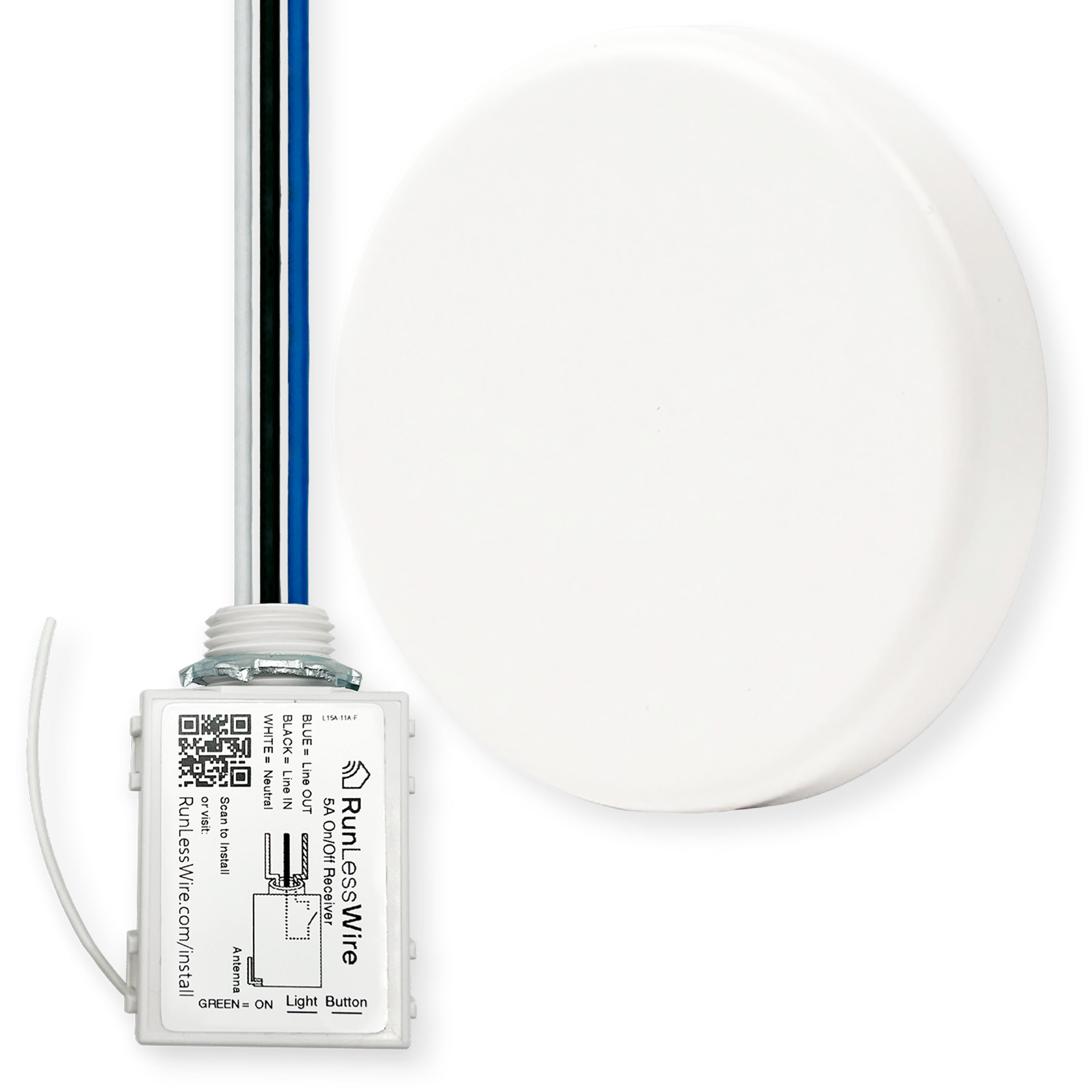
Control 1 circuit with 1 button switch
Control 1 circuit with 2 button switches
Garbage disposal, bedroom lights, router reset button, remote for appliances or lighting
Bedroom lights (one for each side of the headboard), remotes for lamps or lights in a larger room
1
2
1
1
Push Button (press on, press off)
Push Button (press on, press off)
5 Amp - handles up to 600W
5 Amp - handles up to 600W
COMPARE ON/OFF RECEIVERS
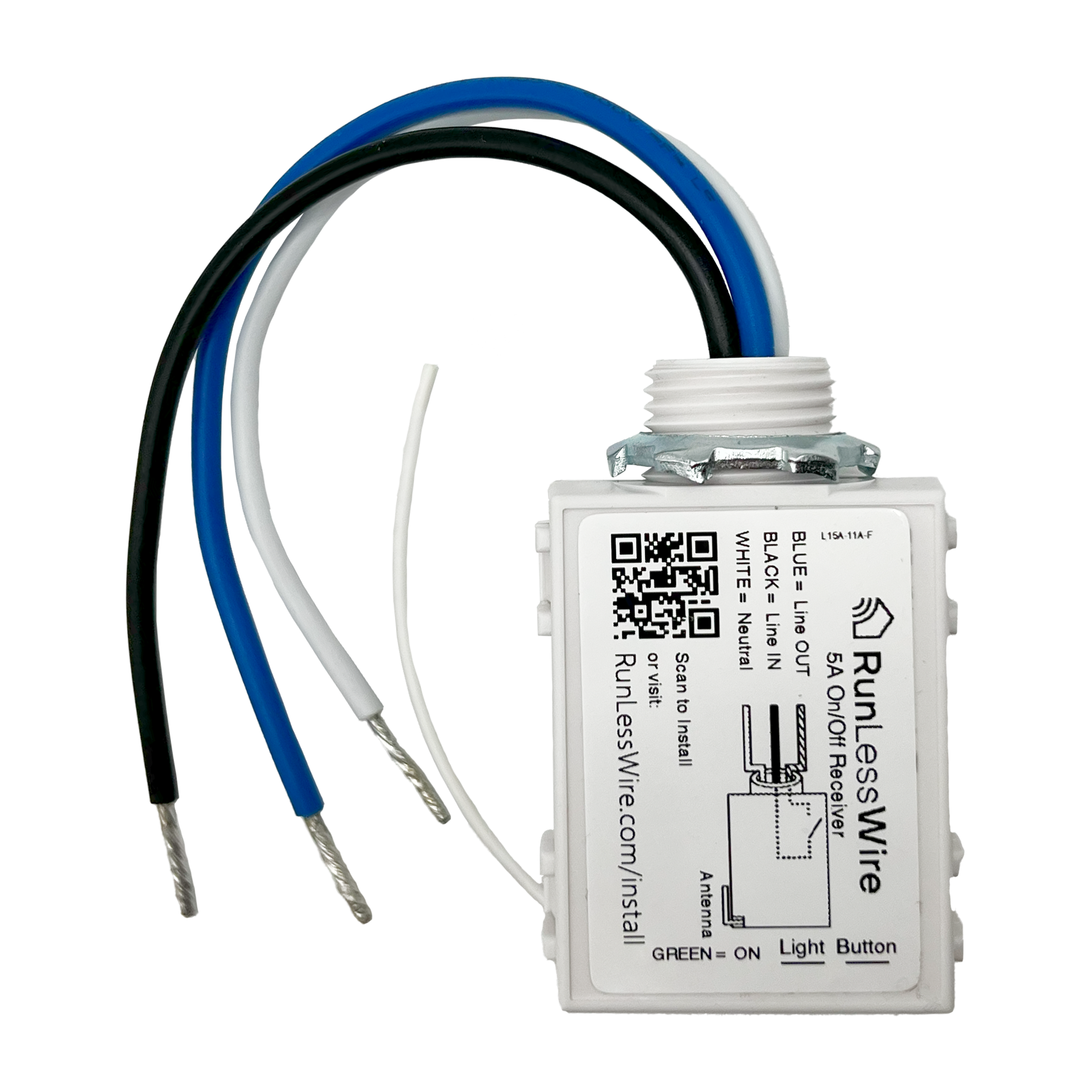

YES
NO - sold separately
5A All Loads, Induction, Fluorescent, LED, Other
20A All Loads, Tungsten, Fluorescent, LED, Other
70 AMP max
160A Max
Handles up to 600W
Handles up to 2400W
100-240VAC
100-277VAC
ALL WIRELESS LIGHT SWITCH KITS
QUESTIONS & ANSWERS
Yes, each unit is assigned a unique digital ID and communicates only with other units specifically associated through a linking process.
25 switches can be linked to one controller.
The only limit is the wireless range. Multiple controllers may be linked to each switch.
A 3-way switch kit includes 2 wireless switches to which replace any existing wired switches. The controller replaces existing switches and does not work with them.
Typically between 50 and 150 ft. Range. The equipment nearly always works reliably within a 50’ radius and can work at longer distances.
Range is affected by:
Proximity to metal – keep away from metal to increase distance, use plastic boxes instead of metal where possible
Obstructions – Wireless signal transmits through most materials at least some distance. Materials in order of range reduction, minimum to maximum: glass, sheetrock, wood, aluminum siding, sheet metal, stucco (w/ wire mesh), brick, concrete
Interference – Some 900MHz wireless microphone systems are known to reduce the reliability of the wireless switches. There are no other known sources of interference.
The products use no batteries and include an integrated magnetic generator. They are designed with a 20+ year intended lifespan. They have a 5 year warranty.
Confirm the controller has power and the Status LED is Green (Output ON) or Red (Output OFF). Hold the MENU button until a click is heard – about 5 seconds. Buttons may be hidden under a sticker.
Click the top button of the switch 3 times. The status LED will pause GREEN for 3 seconds indicating that the switch ID has been added to the controller’s memory. If status LED pauses RED, the switch has been removed from memory; click the switch 3 more times to add it back.
Wait 30 seconds until clicking / blinking stops. Operate switch.
RunLessWire switches and controllers communicate using the 902MHz frequency. It will not interfere with Wifi (2.4GHz or 5.8GHz) or most other wireless devices.
Each unit is assigned a unique digital ID (one of 4 billion) and there cannot be cross talk, even though they transmit on the same frequency.
Watts = Amps x Voltage. So, for example, with the 5 amp RLW controller: 5A x 120V = 600 Available Watts
Email: support@RunLessWire.com
Phone: 866.600.2111
9am-5pm MST, M-F
The controller does not respond to the wireless switch:
1. Confirm the controller is wired correctly and functional:
-The status light on the controller should be illuminated. Green means the output should be ON, Red means the output should be OFF. No status light indicates that power is not on, wiring is incorrect, or Controller has been damaged.
-Press the “Select” or “Test” button to toggle the controller output. Subsequent presses will cycle between ON and OFF. If the status light changes color and the light doesn’t respond there may be a wiring problem. If the relay doesn’t click, the relay may be damaged from an overload condition.
2. Confirm the switch is functional:
-Click the switch and confirm that the controller status light flickers. Each time the switch transmits, whether it is linked or not, the status light should flicker briefly. If it does not flicker, either the switch isn’t transmitting or the controller isn’t receiving.
-Link the switch to the controller. Hold the “Menu” button for about 5 seconds until the controller clicks, then release. While the controller is clicking, press one button on the switch 3 times. The controller status light will pause GREEN when the switch is added to the controller memory. The status light will pause RED when the switch is removed from the memory. If this happened, click the switch 3 more times to add it to the memory. If clicking the switch doesn’t not link, the switch may be damaged. If a second switch is available and works, then the first switch can be confirmed defective. If not, contact RunLessWire for support and warranty service if applicable.