

ACCESSIBILITY
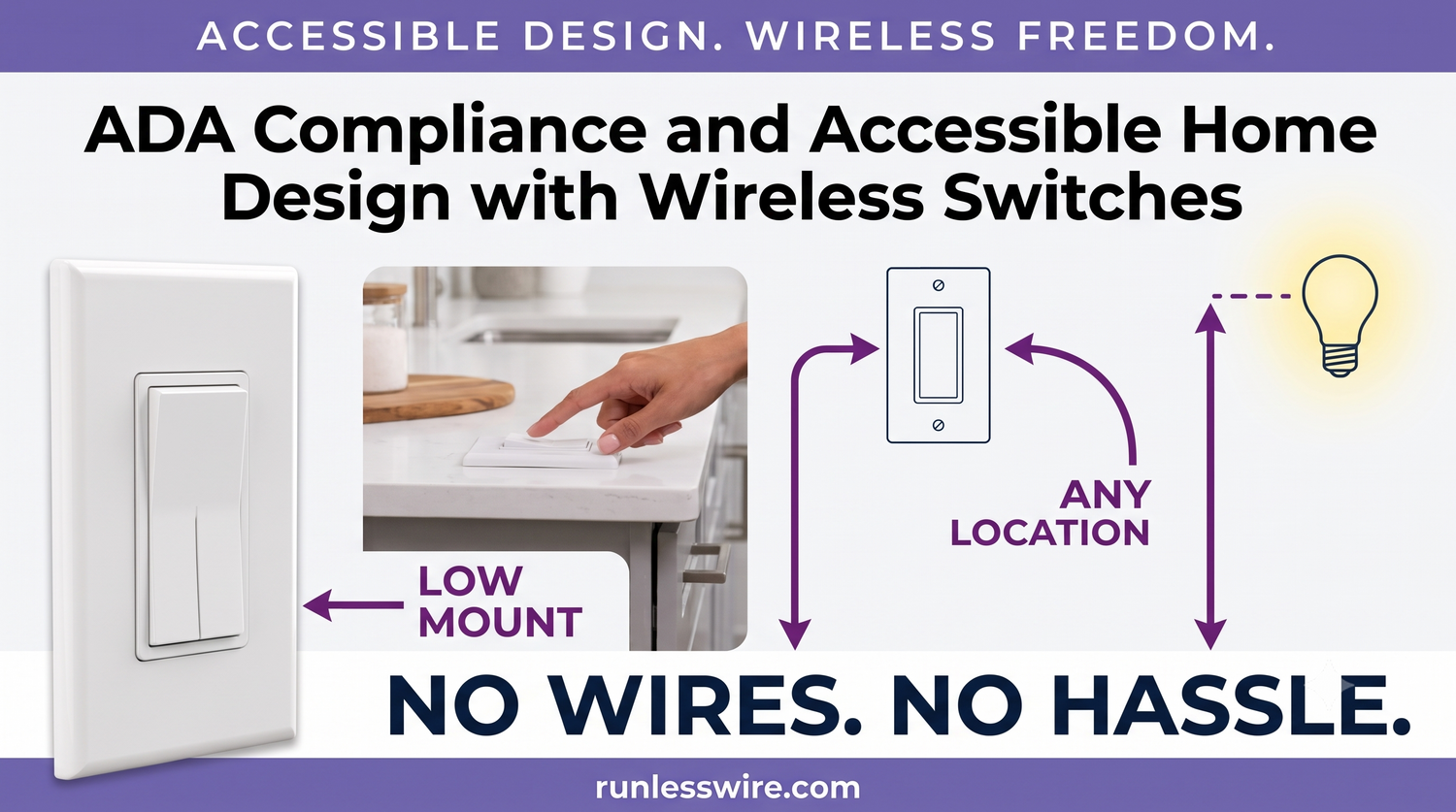
ADA Compliance and Accessible Home Design with Wireless Switches
Practical ways wireless switches meet accessibility standards — and open up retrofits for homes that were never designed with them in mind.
By RunLessWire | July 2026
Making a home accessible is rarely a matter of one big renovation. It’s a series of small decisions — where a switch sits, how many controls a room offers, how easily someone with limited mobility can move through their own space. Wireless switches turn out to be one of the most flexible tools for solving these problems, and they meet the letter of accessibility standards better than most conventional wiring does. Here’s how they fit into ADA guidelines and universal design.
1. What ADA Actually Says About Switches
The ADA Standards for Accessible Design set specific rules for operable parts like light switches. The key numbers: switches must be reachable between 15 and 48 inches above the finished floor. Operating them can’t require tight grasping, pinching, or wrist twisting, and the force to operate can’t exceed 5 pounds. Strictly, ADA applies to public accommodations and certain commercial spaces — but the standards are the most widely used benchmark for accessibility in residential retrofits too.
2. The Retrofit Problem
Older homes — and most newer ones — weren’t designed with the ADA reach ranges in mind. Standard practice puts switches at 48 to 54 inches AFF, right at the top of the range or above it. That’s fine for standing use, but reaches into “too high” territory for many wheelchair users, children, and shorter adults. Traditional switches are fixed forever unless you open the wall, run new cable, and patch and paint. Wireless changes that math entirely.
3. How Wireless Switches Solve the Reach Problem
A RunLessWire wireless switch mounts anywhere — no junction box required. That means you can place the switch exactly where the user can reach it comfortably, regardless of where the original wiring ended. Command Strips or backplate screws hold it in place; the receiver behind the wall or plugged into an outlet handles the load. Need the switch at 36 inches instead of 52? Do it in five minutes. Two people in the home with different reach needs? Add a second switch to the same load.
4. Multi-Location Control for Real Independence
For someone with mobility limitations, walking to a switch is often the friction. Wireless switches make it trivial to add control wherever the user actually is — bedside, next to a recliner, at the top and bottom of a ramp, or at both entrances of a hallway. A single receiver can be paired with up to 25 switches, so a room can have as many control points as needed. Independence expands with every switch you add.
5. Universal Design — Benefits Everyone
Accessibility upgrades made for one person quietly benefit everyone in the home. A switch placed at 36 inches is easier for a child, someone with an armful of groceries, or anyone using the room in the dark. A bedside switch helps aging parents, tired adults, and anyone who’s ever fumbled for a lamp cord at 2 a.m. Universal design isn’t a compromise between accessibility and aesthetics — it’s a broader definition of what “usable” means.
6. What to Know About the Actuation
Kinetic switches generate their own power from the press itself, which means they respond to compression rather than a light touch. In practice, they can be operated with a closed fist, an elbow, or the side of the hand — no tight grasp or wrist twist required. For users with very limited grip strength, an occupational therapist can help evaluate whether the actuation force fits specific needs before committing to a design.
Accessibility as Investment, Not Afterthought
The best accessibility upgrades are the ones you can add now and keep for decades. Wireless switches fit that model — they retrofit into existing homes without construction, adapt to changing needs over time, and give control back to the person who lives in the space. That’s what accessible design is really about.
Every RunLessWire product is engineered and assembled in the USA, backed by a 5-year warranty, and built to last 20+ years — long enough to grow with any household’s needs. Browse the full lineup in our Wireless Switch Kits collection.
No wires. No batteries. No limits.
Ready to design for how you actually live?
Explore our full product line at runlesswire.com
or find us on Amazon and Home Depot.

Leave a comment
All comments are moderated before being published.
This site is protected by hCaptcha and the hCaptcha Privacy Policy and Terms of Service apply.