

HOME OFFICE
Perfect Home Office Lighting: A Complete Guide
A layered approach that keeps you focused during work, looks good, and adapts through the day.
By RunLessWire | July 2026
The lighting in most home offices was never designed for what actually happens there — long stretches of screen work, video calls, and shifting focus between paper, monitor, and window. A single overhead fixture doesn’t cover any of it well. Good office lighting is about layers, control, and adjustments that match what you’re doing at any given moment. Here’s a practical guide to getting it right.
1. Start With Three Layers
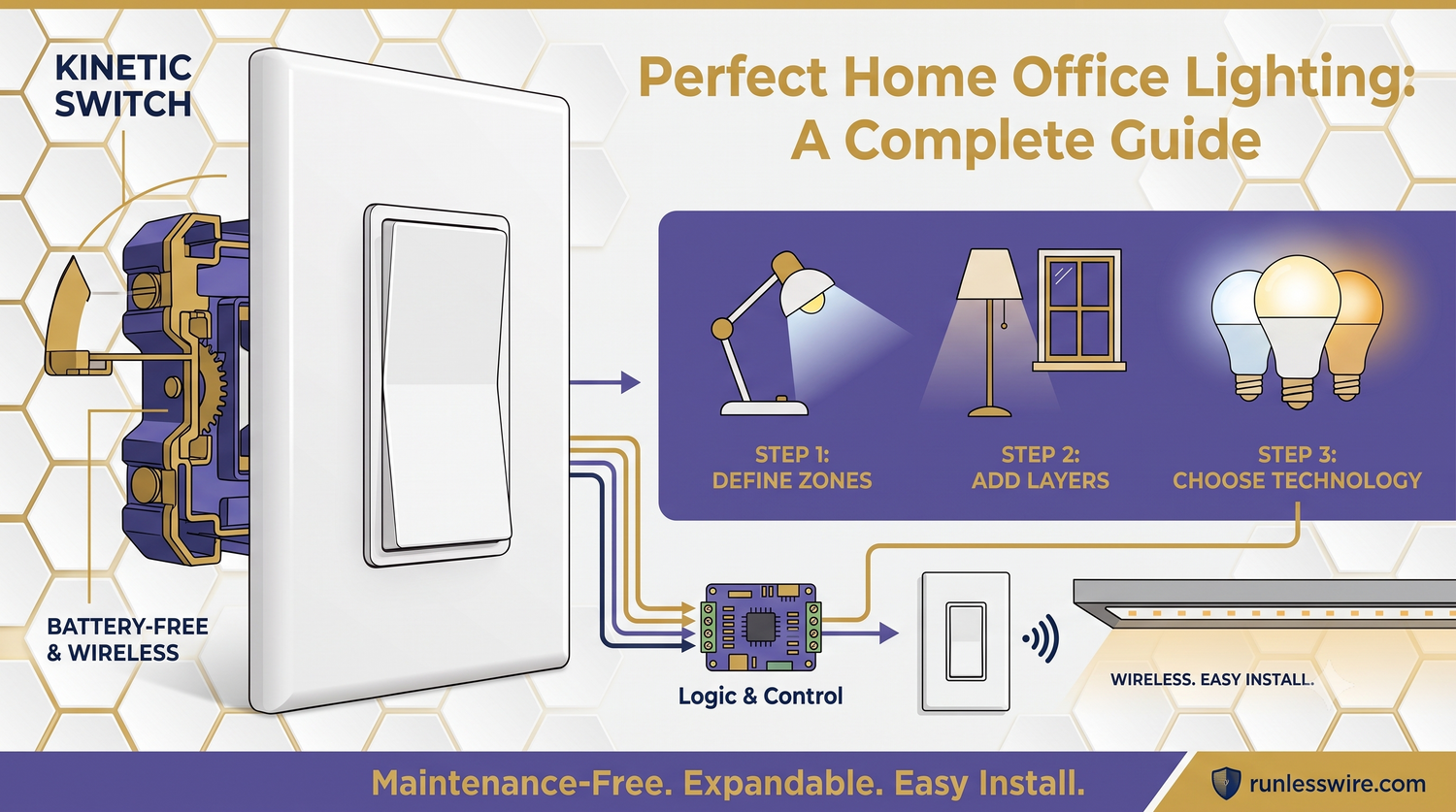
Every well-lit space uses three layers: ambient (general room fill), task (focused on a work surface), and accent (softer light for balance). Home offices need all three. Ambient lighting fills the room and prevents harsh contrast between your monitor and the walls behind it. Task lighting eliminates shadows on paperwork or a keyboard. Accent lighting — a floor lamp in a corner, a picture light — softens the room. Skip any layer and it feels off.
2. Task Lighting Is Where Most Offices Fail
The biggest lighting mistake in home offices is relying only on overhead light — your work surface ends up in your own shadow, forcing your eyes to constantly re-adjust between the dim desk and the bright monitor. Add a dedicated desk lamp with an adjustable arm, LED at 800–1000 lumens, positioned to light your work without shining into your eyes. If you write by hand, put the lamp on the side opposite your writing hand to keep shadows off the page.
3. Getting Video Calls to Look Good
For anyone spending real hours on camera, lighting matters more than the webcam. Two rules cover most cases: put your main light source in front of you, not behind, and diffuse it. A window in front of you (behind the monitor) is ideal during the day. In the evening, a soft LED panel or a light bounced off a wall does the same job. Avoid a bright light behind you — it turns you into a silhouette.
4. Get the Color Temperature Right
Color temperature matters more than most people realize. For focused daytime work, aim for a cooler 4000–5000K — closer to daylight, which helps concentration. For late-afternoon and evening work, warmer 2700–3000K light reduces eye strain and signals your body to wind down. If you can, use tunable LED bulbs that shift through the day; otherwise, mix warm floor and desk lamps with a cooler task light and switch between them as needed.
5. Fighting Screen Glare
Monitors and lighting fight each other constantly. Position ceiling fixtures out of the direct line of sight from the screen — nothing above or slightly behind the monitor. Avoid glossy screens facing a window unless you have a shade. And if a light is reflecting off the screen, either move the light or dim it. Reducing glare cuts eye strain more than any single lumens number will.
6. Put the Controls Where You Actually Work
The final layer is control. If you have to get up from your desk every time you want to dim the room or turn off a corner lamp, you’ll eventually stop bothering. RunLessWire Wireless Switch Kits let you place a switch anywhere — on the side of your desk, next to your keyboard, or on a shelf — with no wiring and no batteries. One press to switch from meeting mode to focus mode, without breaking rhythm.
Lighting as a System, Not a Fixture
The best home offices don’t have one “right” lighting setup — they have a system that adapts. Layered light, targeted task lamps, camera-friendly key light, adjustable color temperature, and controls within reach. Once it’s all in place, you stop thinking about lighting entirely, which is exactly the goal.
Every RunLessWire product is engineered and assembled in the USA, backed by a 5-year warranty, and designed to last as long as your work-from-home habits do.
No wires. No batteries. No limits.
Ready to light up your workspace?
Explore our full product line at runlesswire.com
or find us on Amazon and Home Depot.


Leave a comment
All comments are moderated before being published.
This site is protected by hCaptcha and the hCaptcha Privacy Policy and Terms of Service apply.